Best AI Voice Changer for Discord & Voice Chat in 2025
Voice chat has become the backbone of online interaction, from late-night Discord gaming sessions to professional remote meetings and live streaming. But what if your voice does not match the persona you want to present, or you simply want more privacy, creativity, or fun? This is where the best AI voice changer for Discord comes into play.
Unlike traditional pitch-based tools that make you sound robotic or distorted, modern AI voice changers use advanced machine learning models to transform your voice in real time while keeping it natural, expressive, and human-like. In this in-depth guide, we will explore how AI voice changers work, why they matter for Discord and voice chat users, and what features truly separate great tools from mediocre ones.
As a platform dedicated to reviewing AI solutions for both business and personal use, ai.duythin.digital aims to save you hours of research by offering transparent comparisons, real-world insights, and trustworthy recommendations from Vietnam’s leading AI community.
What Is an AI Voice Changer?
An AI voice changer is software that uses artificial intelligence to modify or replace your voice in real time or through recordings. Instead of simply adjusting pitch or adding effects, AI-driven tools analyze your speech patterns, tone, and pronunciation, then reconstruct your voice using a trained neural model.
Traditional Voice Changers vs AI Voice Changers
Older voice changers relied on basic audio processing techniques such as pitch shifting, echo, or formant adjustment. While these methods were lightweight, they often resulted in:
- Robotic or unnatural sound
- Limited voice options
- Poor performance in real-time voice chat
In contrast, AI voice changers leverage deep learning to generate entirely new vocal outputs that closely resemble real human voices. This is why today’s AI voice changer for Discord can sound convincing even in fast-paced conversations.
How AI Voice Changers Work
At a high level, AI voice changers follow a speech-to-speech pipeline:
- Your microphone captures raw audio input.
- The AI model analyzes phonemes, pitch, and rhythm.
- A neural network reconstructs the voice using a target voice profile.
- The modified voice is output to Discord or other voice chat apps.
Modern tools optimize this process to reduce latency, which is critical for real-time platforms like Discord. According to NVIDIA research on real-time speech synthesis, latency below 50 milliseconds is generally perceived as “instant” by users, making conversations feel natural.
Why Use an AI Voice Changer for Discord & Voice Chat?
Discord is no longer just a gaming app. It is used by study groups, startups, creators, and global communities. This diversity has driven demand for flexible voice solutions that go beyond novelty.
Popular Use Cases
- Gaming & role-playing: Match your voice to in-game characters or RPG personas.
- Streaming & VTubing: Maintain anonymity while building a consistent online identity.
- Privacy protection: Avoid revealing your real voice in public servers.
- Creative content: Produce skits, podcasts, or narration with multiple voices.
A 2024 survey by Statista showed that over 38% of Discord users participate in public or semi-public servers weekly, highlighting the importance of privacy and self-expression in voice communication.
Benefits of AI Voice Changers
Choosing the best AI voice changer for Discord offers several advantages:
- Natural-sounding voices instead of distorted audio
- Real-time performance suitable for live chat
- Wide range of voice styles and accents
- Improved confidence and creative freedom
As AI researcher Dr. Rupal Patel notes, “Neural speech models are reaching a level where synthetic voices are no longer perceived as artificial in casual conversation.” This shift is exactly what makes AI voice changers practical, not just entertaining.
Key Features to Look for in the Best AI Voice Changer for Discord
Not all AI voice changers are created equal. Before choosing a tool, it is essential to evaluate features that directly impact usability, sound quality, and long-term value.
Real-Time Voice Changing
For Discord, real-time processing is non-negotiable. A good AI voice changer must:
- Maintain low latency during live conversations
- Support push-to-talk and always-on modes
- Handle background noise gracefully
Tools that introduce noticeable delay can disrupt conversations and quickly become frustrating.
Voice Quality & Naturalness
The hallmark of a premium AI voice changer is realism. Look for solutions that preserve:
- Natural intonation and emotion
- Clear pronunciation
- Consistent voice output across long sessions
From our experience reviewing AI tools at ai.duythin.digital, voice naturalness is often the first factor users notice and the main reason they upgrade from free tools to paid plans.
Discord Compatibility
Seamless integration with Discord is critical. The best tools allow you to:
- Select the AI voice changer as a microphone input
- Work smoothly with Discord’s noise suppression
- Avoid conflicts with other audio devices
Some advanced AI voice changers also offer virtual audio drivers, simplifying setup for beginners.
Voice Library & Customization
A strong voice library adds long-term value. High-quality tools typically include:
- Male and female voice profiles
- Character and stylistic voices
- Options for fine-tuning tone and pitch
Customization ensures your voice does not sound generic, which is especially important for streamers and creators.
System Performance & Stability
AI processing can be resource-intensive. Reliable software should be optimized to:
- Minimize CPU and GPU usage
- Run stably during long Discord sessions
- Avoid crashes or audio dropouts
This is particularly relevant for users who game or stream while running voice-changing software in the background.
In the next section, we will dive into a hands-on comparison of the best AI voice changers for Discord in 2025, including real-world performance, pricing, and ideal use cases.
Looking for verified AI voice tools with transparent pricing? Visit ai.duythin.digital to explore expert-reviewed AI solutions trusted by Vietnam’s growing AI community.
Best AI Voice Changers for Discord & Voice Chat (2025 Comparison)
After testing multiple tools across Discord servers, gaming sessions, and live calls, we evaluated each AI voice changer based on voice realism, latency, stability, features, and pricing transparency. Below is a quick comparison to help you shortlist the best option for your needs.
| AI Voice Changer | Real-Time Support | Voice Quality | Discord Compatibility | Pricing Model | Best For |
|---|---|---|---|---|---|
| MagicVox AI | Yes | High | Excellent | Freemium | Gamers & Casual Users |
| VoiceAI | Yes | Very High | Excellent | Subscription | Streamers & Creators |
| Wootechy SoundBot | Yes | High | Good | One-Time License | Beginners |
In-Depth Reviews of Top AI Voice Changers
MagicVox AI Voice Changer
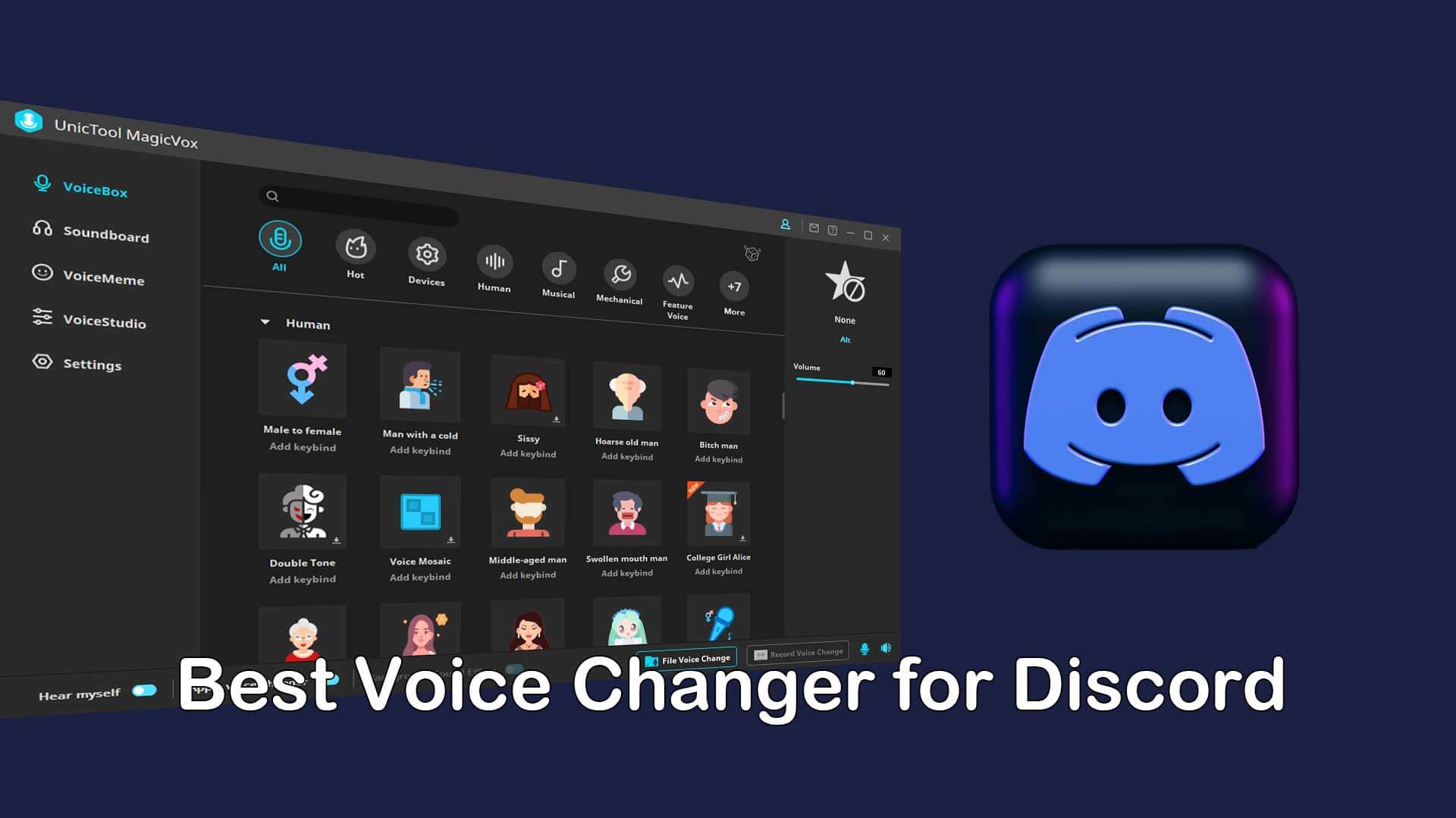
MagicVox AI is a popular choice among Discord users thanks to its balance between performance and accessibility. It offers a large library of AI-powered voices and works smoothly with Discord’s audio pipeline.
- Pros: Easy setup, low latency, free version available
- Cons: Limited customization on free plan
- Pricing: Free with premium upgrades
- Best for: Gamers and casual Discord users
VoiceAI
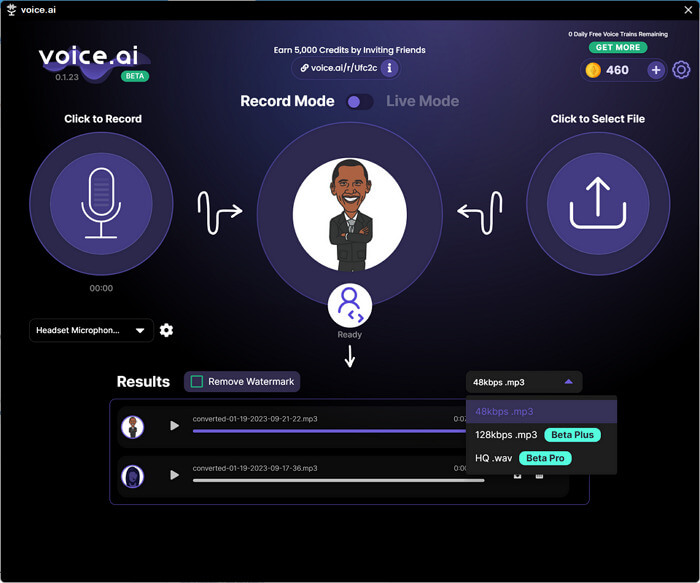
VoiceAI focuses heavily on realism. Its neural voice models are among the most natural we tested, making it ideal for streamers and VTubers who want consistent voice identity.
- Pros: Extremely realistic voices, frequent updates
- Cons: Higher system requirements
- Pricing: Monthly or annual subscription
- Best for: Content creators, professional streamers
Wootechy SoundBot
Wootechy SoundBot is designed for simplicity. While it does not reach the same level of realism as VoiceAI, it performs reliably and is easy to configure for Discord.
- Pros: Beginner-friendly, one-time payment
- Cons: Smaller voice library
- Pricing: One-time license
- Best for: First-time AI voice changer users
How to Set Up an AI Voice Changer for Discord
Setting up an AI voice changer for Discord typically takes only a few minutes. Here is a simplified step-by-step process:
- Install your chosen AI voice changer software.
- Select your microphone as the input device within the software.
- Choose a voice profile and enable real-time mode.
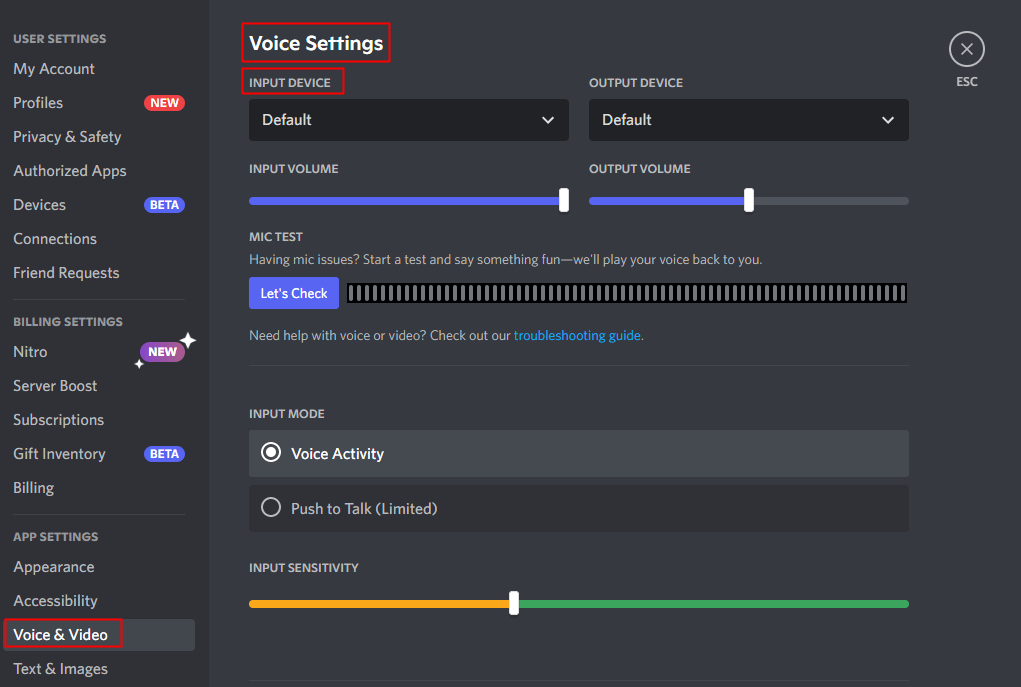
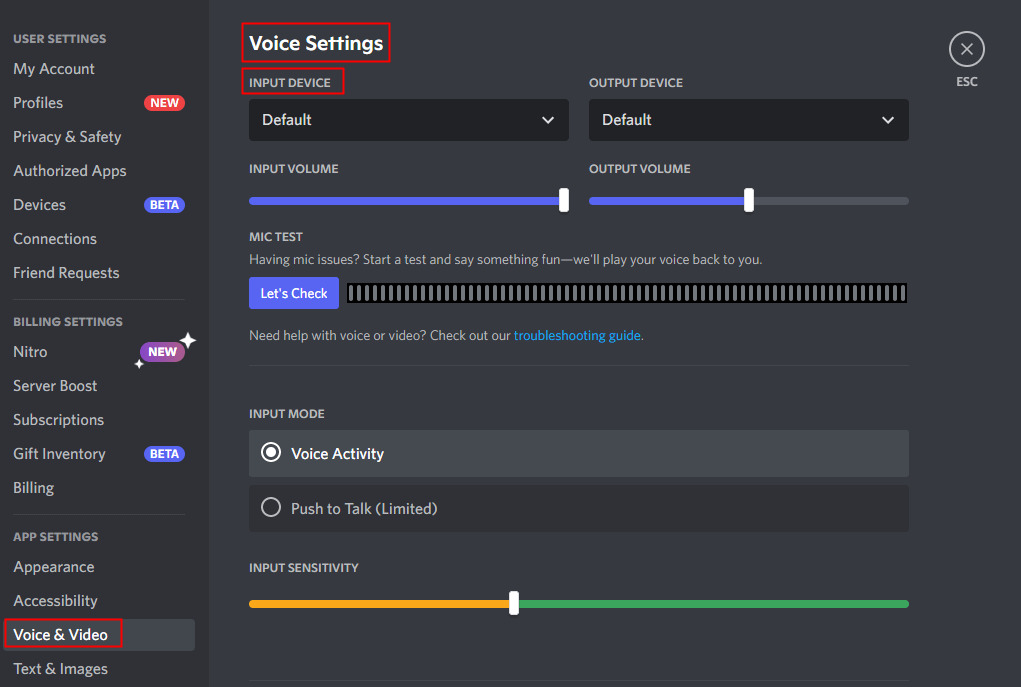
- Open Discord and go to Settings → Voice & Video.
- Select the AI voice changer as your microphone input.
Common mistakes to avoid:
- Leaving Discord noise suppression on high, which can distort AI voices
- Using multiple audio-processing tools simultaneously
AI Voice Changer Pricing Explained
Pricing varies significantly between tools, and understanding what you pay for is crucial.
Free vs Paid AI Voice Changers
- Free tools: Limited voices, watermarks, or session limits
- Paid tools: Higher-quality voices, better stability, ongoing updates
Subscription vs One-Time Purchase
Subscription models often provide continuous AI model improvements, while one-time purchases appeal to users who prefer predictable costs. According to a 2024 Gartner report, 62% of AI software users prefer subscriptions due to regular feature updates.
Privacy, Safety & Ethical Considerations
AI voice changers raise valid concerns around privacy and misuse. Reputable providers are transparent about data handling and do not store voice data without consent.
As cybersecurity expert Bruce Schneier states, “Trust in digital tools comes from transparency and user control.” Always review privacy policies before committing to a platform.
Frequently Asked Questions (FAQ)
Is using an AI voice changer on Discord allowed?
Yes, Discord allows voice changers as long as they are not used for harassment or impersonation.
Can I use an AI voice changer for free?
Many tools offer free tiers, but premium plans deliver better quality and reliability.
Do AI voice changers work in real time?
Modern tools are optimized for real-time use with minimal latency.
Which AI voice changer sounds the most realistic?
Based on our testing, VoiceAI currently offers the most natural-sounding voices.
Final Verdict: Choosing the Best AI Voice Changer for Discord
The best AI voice changer for Discord depends on your goals. Gamers may prioritize ease of use, while streamers demand realism and consistency. What matters most is choosing a tool that balances performance, privacy, and value.
Key takeaways:
- AI voice changers outperform traditional pitch-based tools
- Real-time performance and voice realism are critical for Discord
- Transparent pricing and privacy policies build long-term trust
If you want to skip trial-and-error and make an informed decision, explore curated AI voice solutions and expert comparisons at ai.duythin.digital. Our mission is to help you find the right AI tools faster, with confidence and clarity.